Call Us:

1300 434 380

or leave a message using the form below

M

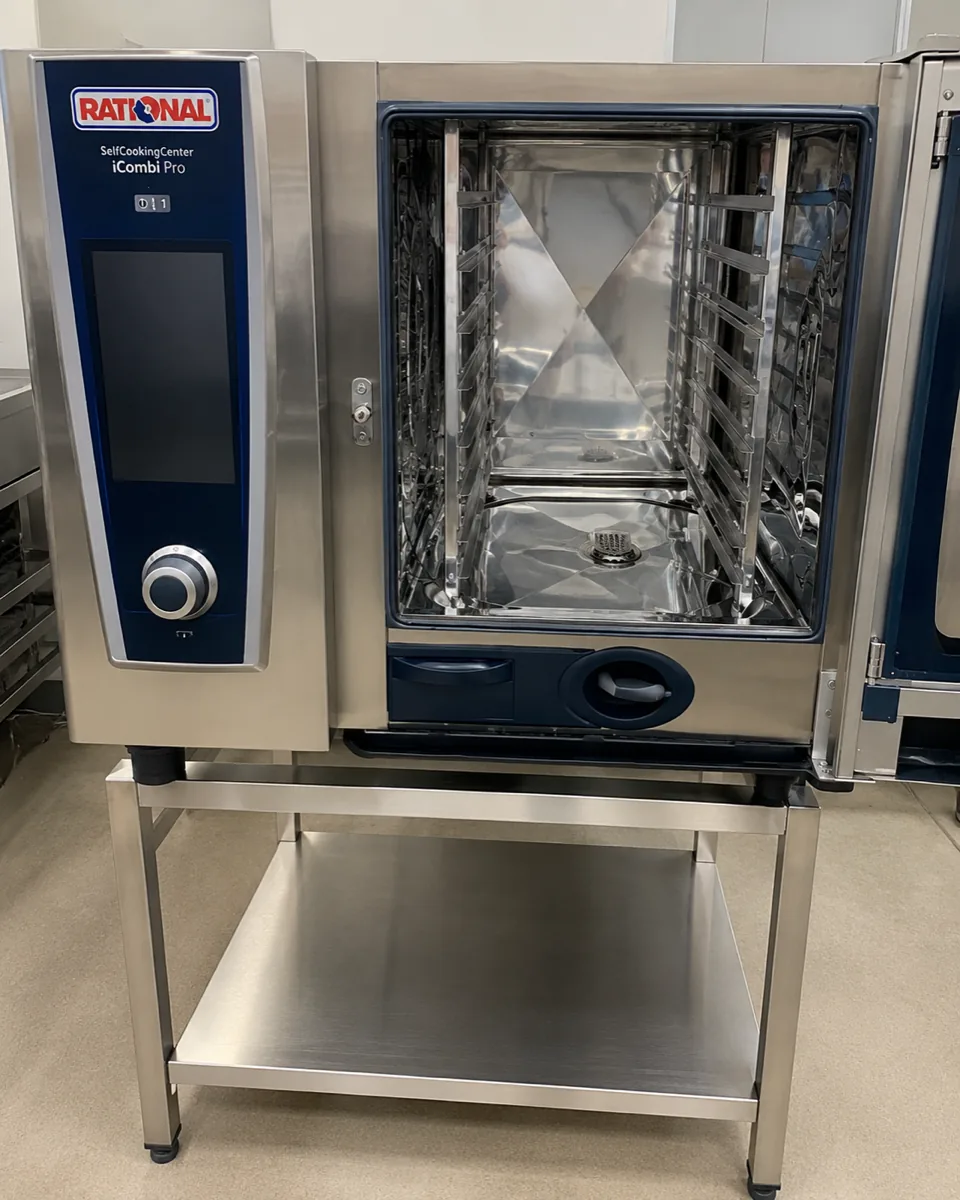
    Rational Combi Oven Service Messages: What Each One Means

    Rational Combi Oven Service Messages: What Each One Means

    A combi oven is usually the most expensive single item in a commercial kitchen, and when it puts a Service message on the screen mid-prep, production stops with it. Some of those messages you can act on before service. Most you cannot.

    Knowing which is which is the whole point of this page. National Appliance Repairs services Rational combi ovens across five capitals, and the difference between a five-minute check and a lost dinner service often comes down to reading the number correctly.

    How Rational structures its messages

    Rational displays faults as Service (E) followed by a number, and on newer iCombi units a decimal suffix that identifies which sensor or circuit within that group failed. Service 20.1 and Service 20.2 are both thermocouple faults, for example, but on different sensors.

    Rational's own operating instructions are consistent about what to do: for these messages, contact your Rational Service Partner, and have the serial number ready. The company does not present them as owner-fixable.

    That said, a handful have upstream causes a kitchen can check first, and those are worth knowing because they are also the ones that recur.

    The messages you are most likely to see

    MessageWhat it namesKitchen check first?
    Service 10Self-clean automatic failedYes
    Service 11Water supply to the steam generator failedYes
    Service 12Water volume measurement failedNo
    Service 20.xThermocouple fault. The suffix identifies the sensor: cabinet, control valve, humidity or steam generatorNo
    Service 23Steam heating control (solid state relay)No
    Service 24Hot air heating control (solid state relay)No
    Service 25Insufficient water flow detected during the cleaning cycleYes
    Service 26Drain valve not reaching the open positionSometimes
    Service 28.1Steam generator too hotYes, indirectly
    Service 28.2Cooking cabinet too hotNo
    Service 34.xData communication fault on the internal busNo
    Service 60Gas system failedNo

    The three worth checking before you call

    Service 25, and the rack that nobody moved

    Service 25 appears during a CleanJet cycle. The oven measures the load on the cavity fan motor: when cleaning water hits the fan, motor demand should rise. If the control board never sees that increase, it reports Service 25.

    Rational's service documentation lists the things to check, and one of them is operational, not mechanical: the position of the GN racks and the mobile oven rack. A trolley or rack left sitting incorrectly can deflect the water and produce this message on a mechanically healthy oven.

    The rest of the list is water supply, inlet pressure, hoses and the CDS sensor. Check the rack position and the water supply first. If the message survives both, book it.

    Service 10 and 11, and the water behind them

    Service 10 is a failed self-clean cycle. Service 11 is a water supply failure to the steam generator. Both point outward at the plumbing before they point inward at the oven.

    Check that the isolation valve is open, that the inlet filter is not blocked, that the supply pressure meets the figure in your installation manual, and that the cleaner cartridge is fully seated. Those four take a couple of minutes and they clear a meaningful share of these calls.

    Service 28.1, and why it is really a water hardness message

    Service 28.1 means the steam generator thermocouple has gone over temperature. The underlying cause is frequently calcification: scale coating the steam heating element, which then cannot transfer heat into the water and instead overheats itself.

    This is the one that matters most in Australia. Hard water areas build scale in a Rational far faster than soft water areas do, and Adelaide is the obvious example. A steam generator that is descaled on schedule rarely produces this message. One that has not been descaled in years will produce it repeatedly, and eventually the element fails.

    Our guide to how Australian water and climate wear out appliances covers where the hard water regions sit. If your venue is in one, water treatment on the oven supply pays for itself.

    Care messages are not Service messages

    Worth separating clearly, because they get conflated.

    Rational ovens also prompt for cleaning and descaling through the CleanJet and Care system. Those prompts mean the oven wants maintenance. They are part of normal operation, they are addressed by running the cycle with the correct cartridge or tabs, and they are not faults.

    Service messages are faults. Ignoring a Care prompt for long enough is one of the reliable ways to eventually generate a Service message, particularly Service 28.1.

    What to do when the oven stops mid-service

    • Note the exact message, including the decimal suffix. Service 20.1 and Service 20.8 send a technician to different sensors.
    • Note the serial number: Rational asks for it, and so will we.
    • Check the water supply and rack position if the message is 10, 11 or 25.
    • Power cycle once: If the message returns immediately, it is not a transient.
    • Do not keep restarting a gas fault: Service 60 stays off until someone qualified attends.

    Our commercial combi oven repairs and broader commercial oven service cover Rational across Melbourne, Sydney, Brisbane, Adelaide and Perth. We offer priority scheduling for urgent commercial breakdowns, planned preventative maintenance programs, and service reports with job photography for your records.

    Call:

    • Melbourne 03 9123 0548
    • Sydney 02 9621 5988
    • Brisbane 07 3166 9770
    • Adelaide 08 7123 4027 or
    • Perth 08 9470 4450

    – with B2B office support until 6:30 PM weekdays.

    Frequently asked questions

    What does Service 25 mean on a Rational combi oven?

    The oven did not detect the expected water flow during a cleaning cycle. Check the position of the GN racks and mobile rack, then the water supply, pressure and hoses before booking a technician.

    What does Service 28 mean on a Rational?

    An over-temperature reading. Service 28.1 is the steam generator, Service 28.2 is the cooking cabinet. Scale on the steam heating element is a common cause of 28.1.

    Can I reset a Rational Service message myself?

    A single power cycle is reasonable. If the message returns straight away it is not transient, and Rational directs these messages to a Service Partner.

    Is a Rational Care or CleanJet prompt a fault?

    No. Those are maintenance prompts asking you to run a cleaning or descaling cycle. Skipping them repeatedly is how you end up with an actual Service message later.

    Why do I need the serial number when I report a fault?

    Rational uses it to identify the exact unit generation and software version, which determines what the message means and which part fits. It shortens the diagnosis considerably.

    The short version

    Rational separates maintenance prompts from faults, and the Service numbers are faults. Three of them (10, 11 and 25) have upstream causes a kitchen can check in a few minutes: water supply, inlet pressure, cartridge seating, rack position. The rest belong to a technician, and Rational says so in its own instructions.

    Service 28.1 is the one to read as a warning, not just an event. It usually means scale, and scale is preventable. National Appliance Repairs services Rational combi ovens nationally and offers preventative maintenance programs built around your water conditions. Enquire about commercial services or call your nearest office.

    Call Us:

    1300 434 380

    or leave a message using the form below

    M

      Oven Not Heating Properly? Element, Thermostat and Fan Faults Explained

      Oven Not Heating Properly? Element, Thermostat and Fan Faults Explained

      There's a specific kind of dread that comes with opening the oven door forty minutes into a roast and realising it's barely warm. Whatever's happening in there, it's happening slowly, and dinner is now a moving target.

      The good news is that oven heating faults are one of the more diagnosable problems in a kitchen, provided you know which of a small number of things to check. The National Appliance Repairs team fields this call constantly, and the fault almost always sits in one of three places – the element, the thermostat, or the fan – each with a distinct symptom pattern that tells you a lot before a technician even arrives.

      The One Check That Tells You Almost Everything

      Before anything else: buy a cheap oven thermometer, put it on the middle shelf, set the oven to 180°C, and let it run for twenty minutes. Then compare what the thermometer says to what the display says.

      This single check separates two completely different problems:

      • If the actual temperature matches the display, the oven is heating correctly and the issue is something else entirely – cookware, rack position, or a recipe that assumes a commercial oven's recovery time.
      • If there's a gap between what the display claims and what the thermometer measures, you're looking at a fault.

      Doesn't Heat At All

      The most straightforward case, and usually the fastest to diagnose. If the oven shows no sign of heating – no glow from the element, no warmth after several minutes, control panel otherwise working normally – the likely suspects are:

      • A failed heating element: Elements burn out with age, and it's often visible on an electric oven – a section of the element that's clearly damaged, blistered, or has a visible break. If you can see it, don't touch it or attempt to test it live; it's a mains-voltage component.
      • A tripped thermal cut-out: A safety device that shuts the element off if the oven overheats beyond its normal range, sometimes triggered by a genuine overheating fault, sometimes by a control board issue misreading temperature. Either way, it’ll need proper diagnosis.
      • On gas ovens, an igniter or gas valve fault: If there's no ignition at all – no clicking, no smell of gas, nothing – this is most definitely not a DIY area. Gas heating faults need a licensed technician ASAP.

      Heats, But Never Reaches Temperature

      A more frustrating pattern, because the oven is clearly doing something – you can feel warmth, maybe see the element glowing – but it never gets properly hot, or takes an unreasonably long time to.

      • Thermostat or thermistor drift: The sensor that tells the oven how hot it actually is has drifted out of calibration, so the oven thinks it's reached temperature when it hasn't. This is the classic cause of "my roast always takes longer than the recipe says" once it's been happening gradually for a while.
      • A partially failed element: Sometimes an element doesn't fail outright – it degrades, drawing less current and producing less heat than it should while still technically working. Visually it can look completely normal, which is exactly why the thermometer test above matters more than eyeballing it.
      • Door seal issues: A door seal that's compressed, torn, or not sitting flush lets heat escape continuously during a bake, and the oven spends the entire cook fighting a leak rather than holding temperature. Worth a visual and physical check – run a hand around the seal while the oven's on and feel for heat escaping.

      Heats Unevenly

      The oven reaches temperature eventually, but the back of the tray browns while the front stays pale, or a fan-forced oven behaves like it isn't circulating air at all.

      Fan motor failure, on fan-forced ovens. If the fan has stopped turning – check by listening, most fan ovens have an audible hum when it's running – the oven reverts to relying on natural convection from the element alone, which produces exactly this kind of uneven result.

      Element positioning or partial failure, particularly on ovens with separate top and bottom elements, where one working and one degraded produces an obvious hot-spot pattern.

      Overcrowding or poor rack position, which isn't a fault at all – worth ruling out before assuming anything's broken, since it's genuinely the most common cause of "one side always burns."

      Quick Reference

      SymptomLikely causeDIY-checkable?
      No heat at all, element visibly damagedFailed elementVisual check only – don't test live
      No heat, gas oven, no ignitionIgniter or gas valve faultNo – call a licensed technician
      Warms slowly, never reaches temperatureThermostat/thermistor drift or partial element failureTest with an oven thermometer first
      Takes noticeably longer to preheat than it used toSame as above, gradual onsetTest with an oven thermometer, track over a few uses
      Heat escapes, can feel warm air at the doorDoor seal degradedYes – visual and touch check
      Uneven browning, fan-forced modeFan motor stoppedYes – listen for the fan running

      What a Technician Actually Tests

      The thermometer check tells you that there's a fault. It doesn't tell you which component. A proper diagnosis involves testing the element's resistance directly, checking the thermostat or thermistor's readings against actual temperature at multiple points through a cycle, and confirming the fan motor draws correctly.

      Skipping straight to "replace the element" based on a slow preheat alone is a common way to spend money on a part that wasn't the actual problem – the thermostat and the element produce genuinely similar symptoms from the outside, and only testing tells them apart.

      Frequently Asked Questions

      How much does it usually cost to replace an oven element?

      Costs vary by brand and whether it's a standard or specialty element, and by whether one or both elements need replacing on a dual-element oven. Get an accurate quote for your specific model – our pricing page has current rates, or see our general breakdown of appliance repair costs for context.

      My oven takes much longer to preheat than it used to. Is that a fault?

      Often, yes, and it tends to develop gradually, which is exactly why it's easy to write off as "just how it is now." Run the thermometer test – if there's a genuine gap between actual and displayed temperature, it's worth having looked at before it gets worse.

      Can I test the element myself?

      Visually, yes – a visibly damaged element is a fairly reliable sign. Testing it electrically for resistance involves working with a disconnected mains-voltage component, which isn't something to attempt without the right equipment and knowledge.

      Is a gas oven that won't ignite dangerous?

      Potentially, yes. Don't keep attempting to light it manually or investigate the gas line yourself – this is squarely a job for a licensed gas technician, the same as any gas cooktop ignition fault.

      Does National Appliance Repairs service ovens?

      Yes – domestic ovens across all major brands, alongside stove and cooktop repairs. Our guide on Bosch and Samsung oven error codes is worth checking if your oven is showing a code on the control panel, and our guide to cleaning the glass inside your oven door covers the other common oven complaint that isn't actually a heating fault at all.

      The Bottom Line

      Most oven heating complaints sort into one of three causes, and a twenty-minute test with a cheap thermometer tells you which category you're in before you've spent a cent on a callout. No heat at all usually means a failed element or an ignition fault. Slow to reach temperature usually points to the thermostat or a partially failed element. Uneven results in a fan oven usually mean the fan's stopped turning. Knowing which one you're dealing with is most of the way to getting it fixed properly the first time.

      National Appliance Repairs diagnoses and repairs oven faults across Melbourne, Sydney, Brisbane, Adelaide, and Perth. Call 1300 434 380 to book a technician.

      Call Us:

      1300 434 380

      or leave a message using the form below

      M

        Bosch and Samsung Oven Error Codes Explained

        Bosch and Samsung Oven Error Codes Explained

        An oven that suddenly refuses to cooperate mid-recipe is stressful enough without a cryptic code flashing at you from the display. Bosch and Samsung both build fault detection into their ovens, and in both cases a code showing up doesn't necessarily mean something expensive has broken. Quite often it's a simple reset, or a control panel that just needs a wipe down.

        Here's what we see most often with each brand, based on their own official troubleshooting guidance, and how to tell a quick fix from something that needs a technician.

        Same-day appointments available

        Need This Fixed Today?

        Our licensed technicians repair this exact fault every week – fast, reliable, and backed by a workmanship guarantee.

        • Licensed & insured
        • Workmanship guarantee
        • No fix, no fee

        Bosch: How the E-Code System Works

        Bosch's own guidance is refreshingly simple. If you see an "E" followed by a number on the display, press any key to stop the beeping, then reset the oven by switching it off at the breaker, waiting around 30 seconds to five minutes depending on the model, and turning it back on. In most cases that clears the fault and the oven returns to normal.

        If the code comes back after a reset, that's the signal it's a genuine fault rather than a temporary glitch.

        E011 is one of the most common Bosch oven codes, and it's specifically a control panel issue. According to Bosch's own troubleshooting steps, the fix is to clean the control panel and wipe it completely dry, then power off at the breaker for around five minutes before restoring power. Moisture, grease, or food residue on the touch controls is the usual trigger, so a quick wipe-down after cooking goes a long way toward preventing it from showing up again.

        Beyond E011, Bosch's broader guidance is consistent across the range: note the exact code, reset the oven, and if it returns, contact Bosch support or a technician rather than continuing to reset it repeatedly. Different codes point to different internal systems, from the temperature sensor to the door lock on self-cleaning models, but Bosch doesn't publish a single universal table that applies to every oven generation. Your model's manual, or a technician who works on Bosch ovens regularly, is the most reliable way to pin down exactly what a specific code beyond E011 means for your unit.

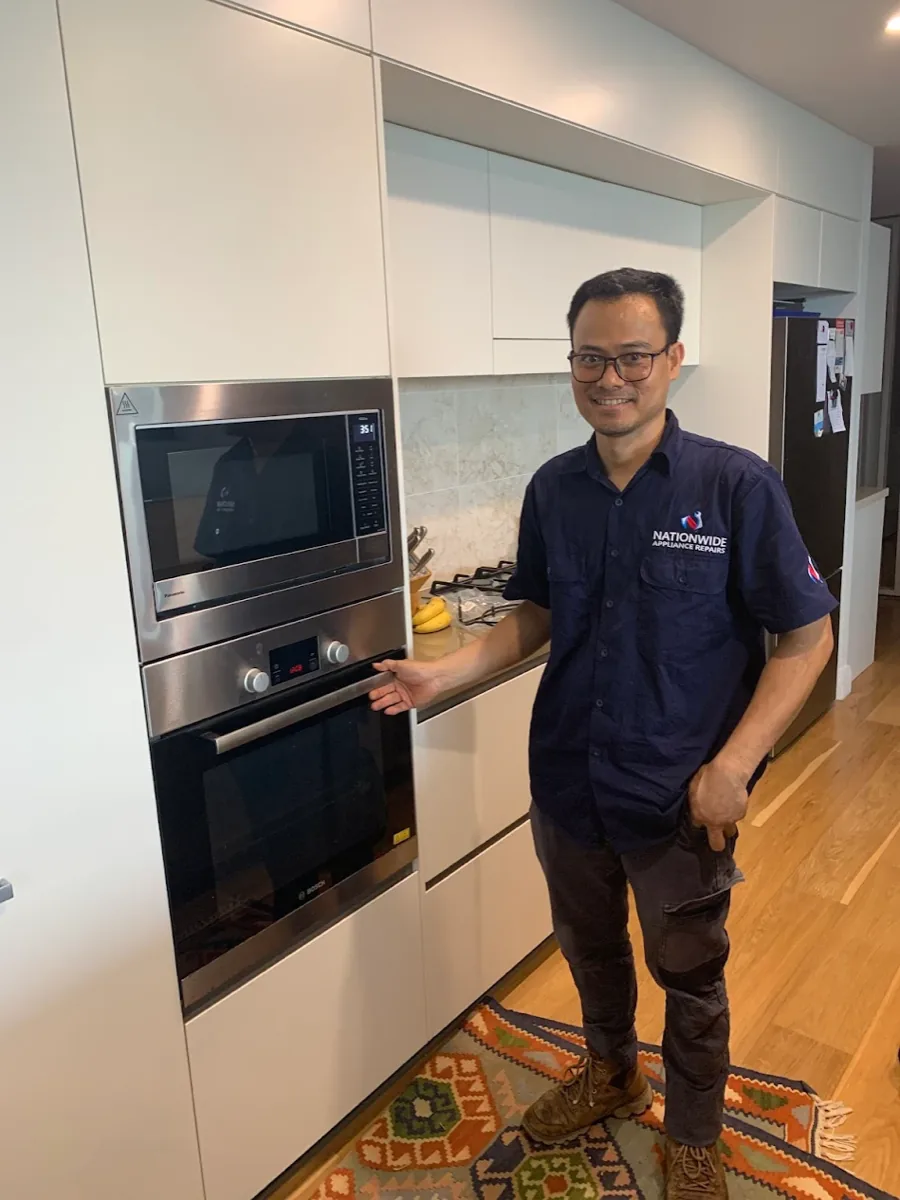
        Two NAR technicians with an electric Bosch oven.

        Samsung: A Slightly Different Format

        Samsung ovens use a "C" prefix rather than Bosch's "E," and the company's own support documentation lists several codes clearly.

        • C-d0 appears when a button has been pressed and held for an extended period, and it usually means moisture or residue is sitting on or around the buttons. Clean them thoroughly, make sure they're dry, then turn the oven off and try again.
        • C-20, C-21, and C-22 all relate to sensor malfunctions. These show up when the oven's temperature sensor reports a reading outside expected limits, which can mean an actual sensor fault or the oven genuinely running hotter than it should. Turn the oven off and restart it first. If the code returns, switch off all power for at least 30 seconds before reconnecting. If it comes back a second time, this isn't one to keep resetting: an oven that's actually overheating is a safety issue, and it's worth having a technician check the sensor and control board rather than trying it again.
        • C-d1 means a door lock malfunction, most often seen on models with a self-clean function. Same process applies: turn off and restart, and if it persists, cut power for 30 seconds before reconnecting.
        • dC or dE shows up specifically on dual cook models, and it means the internal divider is in the wrong position for the mode you've selected. It needs to be in place for dual cook mode and removed for single cook mode. This one's genuinely just a setup issue rather than a fault.
        • C-F0, C-F1, and C-F2 all point to a communication problem between the oven's main and secondary control boards. These are the ones most likely to need a technician, since they involve the internal electronics rather than something user-serviceable.

        Quick Reference Table

        CodeBrandWhat It Usually Means
        E011BoschControl panel issue, often moisture or residue on the buttons
        C-d0SamsungButton held too long, or moisture on the controls
        C-20, C-21, C-22SamsungTemperature sensor malfunction, or genuine overheating
        C-d1SamsungDoor lock malfunction
        dC, dESamsungDivider not in the correct position for the selected cook mode
        C-F0, C-F1, C-F2SamsungCommunication fault between control boards

        What You Can Check Yourself

        • Clean the control panel thoroughly and make sure it's completely dry before using the oven again
        • Reset the oven at the breaker rather than just switching it off at the appliance, since a full power cycle clears more faults than the display's own reset
        • Note down the exact code before calling anyone. It saves time and helps a technician diagnose it faster over the phone
        • For Samsung dual cook models, double check the divider is correctly fitted or removed for the mode you're using
        • If a code clears after a reset and doesn't return, that's usually the end of it

        When It's Worth Calling a Technician

        A code that clears once and stays gone was almost certainly a temporary glitch. A code that keeps coming back, especially a temperature or overheating code, is a different matter, and it's not something to keep resetting and hoping it goes away. Repeated overheating puts real strain on the oven's internal components and, in the worst case, is a genuine safety risk.

        National Appliance Repairs technicians work on both Bosch and Samsung ovens regularly, and carry genuine sensors, control boards, and door lock components for oven and cooktop repairs across both ranges. Most oven faults are diagnosed and fixed in a single visit, backed by a 12-month parts warranty and 3-month labour warranty. If your Bosch dishwasher is also giving you trouble, our guide on common faults with Smeg and Bosch dishwashers covers that separately.

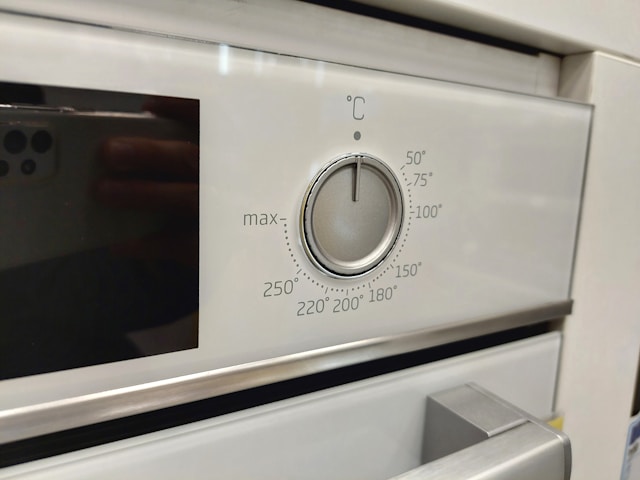
        Close-up shot of an oven.

        Frequently Asked Questions

        What does the E011 code mean on a Bosch oven?

        It's a control panel fault, usually caused by moisture, grease, or food residue on the touch controls. Cleaning the panel thoroughly, drying it completely, and resetting at the breaker resolves it in most cases.

        What does C-21 mean on a Samsung oven?

        It's a temperature sensor malfunction, which can mean the sensor itself has failed or the oven is genuinely running hotter than the set temperature. Restart the oven first, and if the code returns, it's worth having a technician check it rather than continuing to reset it.

        Why does my Bosch oven show a different code than the ones listed here?

        Bosch doesn't publish one universal code table that applies across every oven generation, and the meaning of a given number can vary by model. Your owner's manual, or a technician familiar with your specific range, is the most accurate way to confirm what it means.

        Is it safe to keep using my oven if a code keeps coming back?

        Not if it's a temperature or sensor-related code. An oven that's actually overheating is a genuine safety concern, and repeated resets don't fix the underlying fault, they just delay dealing with it.

        How much does it cost to fix an oven showing an error code?

        It depends entirely on the fault. A control panel clean costs nothing. A sensor, control board, or door lock replacement is a bigger job. Call 1300 434 380 for a free phone consultation and ballpark pricing before booking.

        The Bottom Line

        Most Bosch and Samsung oven codes clear with a proper clean and a full power reset. The ones worth taking seriously are the ones that keep coming back, particularly anything related to temperature or the sensor. Still showing a code after trying the basics?

        Get in touch with National Appliance Repairs or call 1300 434 380 for a same-day assessment, subject to availability, across Melbourne, Sydney, Brisbane, Adelaide, and Perth.

        Call Us:

        1300 434 380

        or leave a message using the form below

        M

          How to Clean the Glass Inside Your Oven Door

          How to Clean the Glass Inside Your Oven Door

          Most oven doors have two, sometimes three, layers of glass, which insulates the door and keeps the outer surface safe to touch while the oven's running. It also means grease and food splatter can end up trapped between the panes, somewhere your usual glass cleaner and cloth can't reach. If you've ever wiped down the front of your oven door and wondered why it still looks grimy, that's almost certainly what's going on.

          Here's how to tackle it properly, and why full disassembly isn't always the safest first move.

          Start With the Glass You Can Reach

          Before worrying about what's trapped between the panes, clean the surfaces you can actually get to. Make sure the oven is completely cool and switched off first.

          For light residue, a simple vinegar and water solution or a standard glass cleaner works fine. For thicker, baked-on grease, mix baking soda and water into a paste, spread it over the glass, and let it sit for 20 minutes or longer depending on how stubborn the buildup is. Wipe away with a damp microfibre cloth, using circular or downward motions, and scrape off any remaining residue gently with a plastic scraper rather than anything metal that could scratch the glass. Finish with a dry microfibre cloth to avoid streaking.

          This alone often resolves most of what looks like grime between the glass, since a fair amount of what people assume is trapped is actually just residue on the inner surface of the inside pane.

          Cleaning Between the Panes Without Taking the Door Apart

          If there's genuinely something trapped between the layers, the safest first approach is cleaning it without removing the door at all.

          • Mix a solution of warm water and a grease-cutting dish soap, or a mix of vinegar and dish soap, in a spray bottle
          • Fashion a cleaning tool from a straightened wire coat hanger, or use a thin microfibre wand if you have one, wrapped in a microfibre cloth and secured with a rubber band. Avoid paper towels here, since they tend to leave lint behind
          • Remove the drawer beneath the oven if there is one, which usually gives better access to the narrow gaps at the bottom of the door where the panes meet
          • Spray the cloth-wrapped tool lightly with your cleaning solution and carefully feed it through the gap, gently wiping at the visible staining
          • Repeat with a clean section of cloth as needed, and finish by running a dry section through to remove any leftover moisture

          This method takes patience, and it won't get every last mark, but it deals with the majority of staining without the risk that comes with taking the door apart.

          Should You Remove the Door and Take It Apart?

          Full disassembly, removing the door from its hinges and separating the glass panes, does get a more thorough clean, but it comes with real trade-offs worth knowing before you attempt it.

          Glass panels can crack or shatter if handled incorrectly, hinge mechanisms vary significantly between brands and even between models from the same brand, and reassembling the door incorrectly can affect the door seal, which matters for both safety and cooking performance. On some ovens, particularly newer models with a camera built into the door for remote monitoring, or side-swing door designs, manufacturers specifically advise against attempting this at home at all, since it risks damaging the camera or the door itself.

          If you're going to attempt it anyway, working with another person makes it considerably safer, and checking your specific model's manual first for the correct hinge release process is essential, since getting this step wrong is the most common way people either damage the door or hurt themselves in the process.

          NAR technician holding the door handle of a Westinghouse electric oven.

          Quick Reference: Which Approach Fits Your Situation

          SituationRecommended Approach
          Light residue on visible glassVinegar or glass cleaner, simple wipe down
          Baked-on grease on visible glassBaking soda paste, let sit, then wipe
          Light staining between the panesWand or wire method, no disassembly needed
          Heavy staining between the panesWand method first; full disassembly only if needed and comfortable
          Oven has a door camera or side-swing designDon't attempt disassembly, contact a technician
          Door won't close properly or seal looks damagedContact a technician, this isn't a cleaning issue

          When to Call a Technician Instead

          If the staining is severe enough that the wand method isn't cutting it, or you're not confident about safely removing the door on your model, it's a reasonable job to hand over. It's also worth calling in a professional if you notice the door isn't sealing properly, since that affects both energy efficiency and cooking results, or if there's any damage to the glass itself, since a cracked or chipped pane is a safety issue rather than a cosmetic one.

          National Appliance Repairs technicians handle oven door glass, seals, and hinge assemblies as part of routine oven and cooktop repairs across all major brands. If your oven door needs more than a clean, whether that's a damaged seal or a hinge that's no longer holding the door properly, most jobs are sorted in a single visit, backed by a 12-month parts warranty and 3-month labour warranty.

          Frequently Asked Questions

          Why does my oven door glass look dirty even after I clean it?

          Most oven doors have two or three layers of glass, and grease can get trapped between the panes where a standard cloth can't reach. What looks like a stubborn stain on the surface is often actually residue between the layers.

          Is it safe to take my oven door apart to clean between the glass?

          It can be done, but it carries real risk of cracking the glass or reassembling the door incorrectly, which can affect the seal. Some models, particularly those with a door camera or side-swing design, shouldn't be disassembled at home at all.

          What's the safest way to clean between oven door glass?

          Using a cloth-wrapped wand or straightened wire hanger fed through the gaps at the bottom of the door, without removing the door at all. It takes some patience but avoids the risks of full disassembly.

          Can I use oven cleaner on the glass?

          Vinegar or a baking soda paste is generally more effective on glass than commercial oven cleaner, and it avoids breathing in stronger chemical fumes while you work. Always make sure the oven is completely cool first.

          How much does it cost to have an oven door professionally cleaned or repaired?

          It depends on what's actually needed. A clean is a minor job, while a damaged seal or hinge replacement is more involved. Call 1300 434 380 for a free phone consultation and ballpark pricing.

          The Bottom Line

          Most oven door staining is fixable without taking anything apart, using either a simple wipe down for the visible surfaces or the wand method for what's trapped between the panes. If the staining is heavy, your model isn't a good candidate for DIY disassembly, or the door itself needs attention rather than just a clean, get in touch with National Appliance Repairs or call 1300 434 380 for a same-day assessment, subject to availability, across Melbourne, Sydney, Brisbane, Adelaide, and Perth.

          Call Us:

          1300 434 380

          or leave a message using the form below

          M

            How to Clean Your Oven Without Harsh Chemicals

            How to Clean Your Oven Without Harsh Chemicals

            Ever cracked open commercial oven cleaner and gotten driven out of your kitchen by fumes? You're not alone. Most conventional cleaners pack sodium hydroxide (caustic soda) and other strong alkaline compounds -- brilliant at dissolving baked-on grease, terrible for your lungs and skin. They need serious ventilation.

            You don't actually need them. Bicarbonate of soda and white vinegar work. Surprisingly well. Two kitchen staples that tackle oven grime effectively, even the stubborn baked-on grease from a roast that bubbled over months ago. It takes patience (mostly overnight waiting) but minimal active effort.

            National Appliance Repairs' technicians notice a pattern: neglected ovens lose efficiency. Element failures spike. Heating becomes uneven. Cleaning matters -- not just for hygiene but for the machine itself. If your oven has a real problem beyond dirty glass or greasy walls, our oven repair service covers all major brands across Australia.

            Why Avoid Harsh Oven Cleaners?

            Conventional oven cleaners are effective, but they come with trade-offs:

            • Strong fumes -- sodium hydroxide-based sprays release fumes that irritate the eyes, nose, throat, and lungs. Safe Work Australia classifies many commercial cleaning chemicals as hazardous, particularly when used in poorly ventilated spaces.
            • Skin and eye hazard -- direct contact can cause chemical burns
            • Risk of cross-contamination -- residue left inside the oven can transfer to food during subsequent use if not completely rinsed away
            • Damage to certain surfaces -- commercial cleaners can discolour aluminium, damage self-cleaning oven liners, and degrade door seals over time

            Bicarb and vinegar avoid all of these issues. They're food-safe, non-toxic, inexpensive, and widely available at any Australian supermarket.

            What You'll Need

            • Bicarbonate of soda (about half a cup)
            • White vinegar (in a spray bottle)
            • Water
            • Rubber gloves
            • A damp microfibre cloth or sponge
            • An old toothbrush
            • A plastic scraper or old credit card (for heavily baked-on spots)
            • A small bowl for mixing paste

            The Overnight Method (Heavy Grime)

            Best for ovens that haven't been cleaned in ages.

            Step 1: Remove everything

            Take out the racks. Take out the trays. Remove any removable accessories. Set them aside -- you'll clean them separately.

            Step 2: Make the paste

            In a small bowl, combine half a cup of bicarbonate of soda with two to three tablespoons of water. Mix until spreadable. It should feel like thick yoghurt. You can adjust the water depending on oven size.

            Step 3: Spread it everywhere

            Gloves on. Spread paste across all interior surfaces -- walls, floor, ceiling, door interior. Leave the heating elements alone (top and bottom). Pay extra attention to heavily greased spots and baked-on areas. The paste will turn brownish-grey when it contacts grease. That's normal. If you have a glass door, paste it there too. Just avoid the rubber seals.

            Step 4: Leave it

            Close the door. Wait at least 12 hours. Overnight is ideal. During this time, bicarb breaks down the bonds between grease and oven surfaces. Everything becomes easier to wipe away.

            Step 5: Wipe it clean

            Next morning: damp microfibre cloth or sponge. Wipe away the paste and grime. Stubborn spots need a plastic scraper first. Loosen before wiping. Rinse your cloth constantly. Use an old toothbrush dipped in warm water for corners and door seals.

            Step 6: Vinegar spray

            Fill a spray bottle with white vinegar. Spray the interior surfaces. You'll see fizzing where vinegar reacts with remaining bicarb -- this lifts the last residue. Wipe down with a clean damp cloth.

            Step 7: Final rinse

            Warm water, plain. Wipe the interior once more. Remove all vinegar residue. Open the door. Let it air for 30 minutes.

            Cleaning the Oven Racks

            While the bicarb paste does its thing overnight, don't forget the racks.

            Fill your bathtub or large sink with hot water. Make sure the racks are fully submerged. Add half a cup of bicarb soda and a few drops of dishwashing liquid to the water. Let them soak -- four hours minimum, but overnight is better. Let them soak alongside the oven while you sleep.

            Next morning, grab a stiff brush or the non-scratch side of a sponge and scrub. The baked-on grease comes off easily. Rinse thoroughly. Dry them completely. Pop the racks back in the oven.

            The Quick Method (For Regular Maintenance)

            If you clean your oven regularly and are just dealing with light grease and fresh spills, the overnight soak isn't necessary.

            • While the oven is slightly warm (not hot), mix a small amount of bicarb paste and apply it directly to any soiled areas.
            • Wait 20--30 minutes.
            • Spray with white vinegar, let it fizz, then wipe away with a damp cloth.
            • Finish with a plain water wipe-down.

            CHOICE Australia recommends a quick wipe-down after each use, while the oven is still warm, to stop grease from baking on in the first place -- which significantly reduces the effort required at deep-clean time.

            Oven Cleaning Methods Compared

            MethodEffort RequiredDrying/Wait TimeChemical ExposureBest For
            Bicarb paste + vinegarLow--MediumOvernightNoneHeavy build-up
            Quick bicarb scrubLow20--30 minutesNoneLight soiling
            Commercial oven cleanerLow30 minutesHigh (fumes)Heavy build-up
            Self-clean cycleVery low2--4 hoursSmoke/fumesModerate build-up
            Steam cleaning (built-in)Very low30 minutesNoneLight soiling

            What Not to Do

            • Don't use bicarb soda on the oven's glass door if it has a special coating -- on some models it can be mildly abrasive and cause fine scratches. Vinegar spray and a damp cloth is safer for the glass.
            • Don't spray vinegar on a still-hot oven -- the rapid temperature change could crack the glass.
            • Don't ignore the door seal -- the rubber gasket around the oven door needs to stay flexible and clean. Wipe it gently with a damp cloth rather than scrubbing hard.
            • Don't use metal scrapers -- these will scratch the oven's enamel lining.

            When Should You Use the Self-Clean Function?

            Many modern Australian ovens include a pyrolytic self-cleaning function that heats the oven to around 450--500°C to incinerate food residue. It's convenient, but it produces smoke and fumes during the cycle (from burning food particles), requires good kitchen ventilation, and puts considerable stress on oven components. Used occasionally, it's fine -- but it's not a substitute for regular physical cleaning, and the heat cycle can accelerate wear on door seals and hinges over time.

            If your oven's self-clean cycle isn't working correctly, or the oven is heating unevenly, it may need a professional inspection.

            FAQ

            Does bicarb soda and vinegar actually work on baked-on oven grease?

            Yes for most ovens cleaned annually. The overnight bicarb method works well. For neglected ovens with heavy carbonised build-up? Commercial product or professional clean required.

            Is it safe to cook in the oven right after cleaning with bicarb and vinegar?

            Yes. Final water wipe, air-dry briefly. Both bicarb and vinegar are food-safe. Run an empty 180°C for five minutes to evaporate residue and odour if needed.

            How often should I deep-clean my oven?

            Aim for every three to four months if you use it regularly. But if you're constantly roasting or dealing with major spills, clean more frequently -- letting grease bake on repeatedly makes the next job significantly harder.

            Can I use this method on a gas oven?

            Yes, but be careful: avoid getting any liquid near the gas burner ports. Wipe around them gently with a barely damp cloth rather than applying paste directly.

            My oven door glass is cloudy on the inside -- will bicarb clean it?

            White vinegar sprayed directly onto inner glass and wiped with a microfibre cloth usually works. If the cloudiness is between the two glass panels inside the door, though, that requires partial door disassembly -- best left to a qualified technician.

            Conclusion

            You can clean your oven without harsh chemicals using what's already in your pantry. The overnight bicarb paste method handles heavy grease build-up. Between deep cleans, quick wipe-downs after cooking keep things manageable.

            Now, if your oven isn't heating evenly, has a faulty element, or won't reach temperature no matter how clean it gets -- that's not a cleaning problem. That's a repair problem. National Appliance Repairs services all major oven brands across Australia. Call 1300 434 380, book online, or request same-day service in selected metro areas.

            Call Us:

            1300 434 380

            or leave a message using the form below

            M

              Fisher & Paykel Oven Not Heating: Causes and Fixes

              Fisher & Paykel Oven Not Heating: Causes and Fixes

              You set the temperature, wait, and the oven stays cold. Or it warms up a little but never gets where it needs to be -- the preheat light eventually goes out but the cavity isn't anywhere near hot. Fisher & Paykel ovens are generally solid, but when heating fails, it almost always comes down to one of a small number of components.

              This guide works through each one in plain terms. For authorised repairs across Sydney, Melbourne, Brisbane, Perth, and Adelaide, National Appliance Repairs carries Fisher & Paykel parts and offers same-day availability.

              Check These Before Anything Else

              A handful of things can look like a heating fault but aren't. Worth spending 60 seconds ruling them out.

              • Is the clock set? Many Fisher & Paykel models won't operate in cook mode until the clock has been set after a power interruption. If there's been a recent outage, set the clock first and try again.
              • Has the auto-timer been activated? The auto-timer function, if accidentally switched on, makes the oven appear completely unresponsive. Check the display for a timer or clock symbol indicating the oven is waiting for a scheduled start time.
              • Has a circuit breaker tripped? Oven elements draw significant current. A tripped breaker at the switchboard cuts power entirely. Check the board before assuming the oven is faulty.

              If all three are fine, the fault is inside the oven.

              Bake Element

              The bake element is the most common single failure point in Fisher & Paykel electric ovens. It's the horizontal element at the base of the cavity on conventional models, or the circular rear element on fan-forced models. When it burns out, the oven either produces no heat at all, or only partial heat from whichever elements are still functional.

              Signs it's the element:

              • The display and controls work normally, but there's no heat
              • One function works (grill, for example) while another doesn't
              • You can see a visible break, blister, or dark burn mark on the element

              Disconnect power at the wall and at the switchboard before getting close to it. On most Fisher & Paykel models, the bake element is accessed by removing the back internal panel of the oven cavity -- usually three or four screws. The element connects at two terminals at the rear wall. A multimeter test for continuity gives a definitive answer. No continuity means it needs replacing.

              Heating element replacement typically runs $200--$400 in parts and labour. For an oven under ten years old, it's almost always worth fixing.

              Thermostat

              The thermostat monitors internal temperature and controls when the elements activate to maintain the set level. When it fails, you lose temperature control. The oven might:

              • Run continuously at maximum heat without cycling down
              • Fail to heat at all because the thermostat circuit is permanently open
              • Cut out too early, leaving the oven well below the target temperature

              The call-for-heat indicator light on most Fisher & Paykel models cycles on and off during normal operation as the thermostat requests and releases heat. If that light stays permanently on or permanently off when it shouldn't, the thermostat is a strong suspect.

              Accessing the thermostat requires removing the oven and reaching the rear -- behind the control panel fascia on most models. The BI602 is a well-documented example where the thermostat commonly fails; technicians familiar with Fisher & Paykel models treat it as a routine repair.

              Temperature Sensor (Probe)

              On many modern Fisher & Paykel ovens, a separate temperature probe feeds real-time cavity temperature data to the control board. If the probe gives a false or out-of-range reading, the board may restrict power to the elements based on incorrect information.

              This tends to cause gradual rather than sudden symptoms:

              • The oven reaches temperature eventually, but preheating takes far longer than it used to
              • Temperatures are inconsistent across the cavity
              • Some digital display models show an error code

              A multimeter can measure the sensor's resistance at room temperature. Fisher & Paykel sensors have a specified resistance value -- a reading significantly outside that range points to a faulty probe.

              Grill Element

              If everything works except the grill function, the grill element has failed independently. It's a separate component and can fail on its own without affecting the bake function at all. A visible break or burn mark is usually apparent; a continuity test confirms it.

              Thermal Fuse

              Fisher & Paykel ovens -- particularly models with a self-clean function -- have a thermal fuse or high-limit thermostat at the rear of the cavity. It's a one-time safety device that cuts power permanently if the cavity reaches a dangerous temperature. Once tripped, it doesn't reset.

              If the oven stopped working after or during a self-clean cycle, a tripped thermal fuse is a strong candidate. It sits near the back of the cavity and a continuity test confirms whether it's blown. Replacing it is straightforward, but it's worth also checking the cooling fan -- a failed cooling fan is usually what causes the overheating that blows the fuse in the first place.

              Control Board

              The control board manages everything: heating, timing, display, safety. Board faults can produce symptoms ranging from a single function not working to the oven being completely dead. Power surges are the most common cause of board damage in Australian homes.

              Try disconnecting the oven for five minutes before assuming the board has failed -- a cold reset occasionally clears electronic faults. If specific components (element, thermostat, sensor) all test fine and the oven still won't heat, the board is the next step.

              Control board replacement is expensive. It's the last thing to confirm, not the first thing to replace.

              Fault Guide

              What You're SeeingMost Likely Cause
              Oven completely dead, display also offPower supply -- check breaker and clock setting
              Display and fan work, no heatBake element failed
              Heats in grill mode but not bakeBake element failed; grill element intact
              Won't hold temperature, cycles irregularlyThermostat or temperature sensor fault
              Stopped after self-clean cycleThermal fuse blown
              Slow to preheat, inconsistent temperaturesTemperature sensor (probe) fault
              Runs at full heat with no regulationThermostat fault

              FAQ

              Why did my Fisher & Paykel oven stop working after a self-clean cycle?

              The self-clean cycle runs at very high temperatures. If the cooling fan wasn't working properly, the thermal fuse may have tripped. Have the fuse tested and replaced, and get the cooling fan inspected at the same time.

              My oven heats but takes much longer than it used to -- what's going on?

              A temperature sensor giving a slightly inaccurate reading causes the control board to underpower the elements. It tends to degrade gradually, so you notice it over weeks rather than suddenly.

              Can I replace a heating element myself?

              With power fully isolated at the switchboard, the element itself is accessible and can be replaced by a careful DIY repair. Anything involving the thermostat connections, wiring harness, or control board should be done by a licensed technician to comply with Australian electrical standards.

              Is it worth repairing rather than replacing?

              For ovens under ten years old, almost always yes. A heating element repair at $200--$400 compares very favourably against the $1,500--$4,000 cost of a comparable new oven.

              Does Australian consumer law apply to oven repairs?

              Under the Australian Consumer Law, appliances must be of acceptable quality and last a reasonable time. If a heating element or thermostat fails unusually early, the manufacturer may be obligated to repair or replace it regardless of when the warranty period ended.

              Conclusion

              Fisher & Paykel oven heating failures nearly always trace back to the bake element, the thermostat, or the temperature sensor. Start by checking power is reaching the oven and the clock is set. After that, a technician can test the components and usually complete the repair on the same visit. National Appliance Repairs services Fisher & Paykel ovens across Australia with authorised technicians, same-day availability, and a 12-month warranty on all replacement parts. Call 1300 434 380 to book.

              Call Us:

              1300 434 380

              or leave a message using the form below

              M